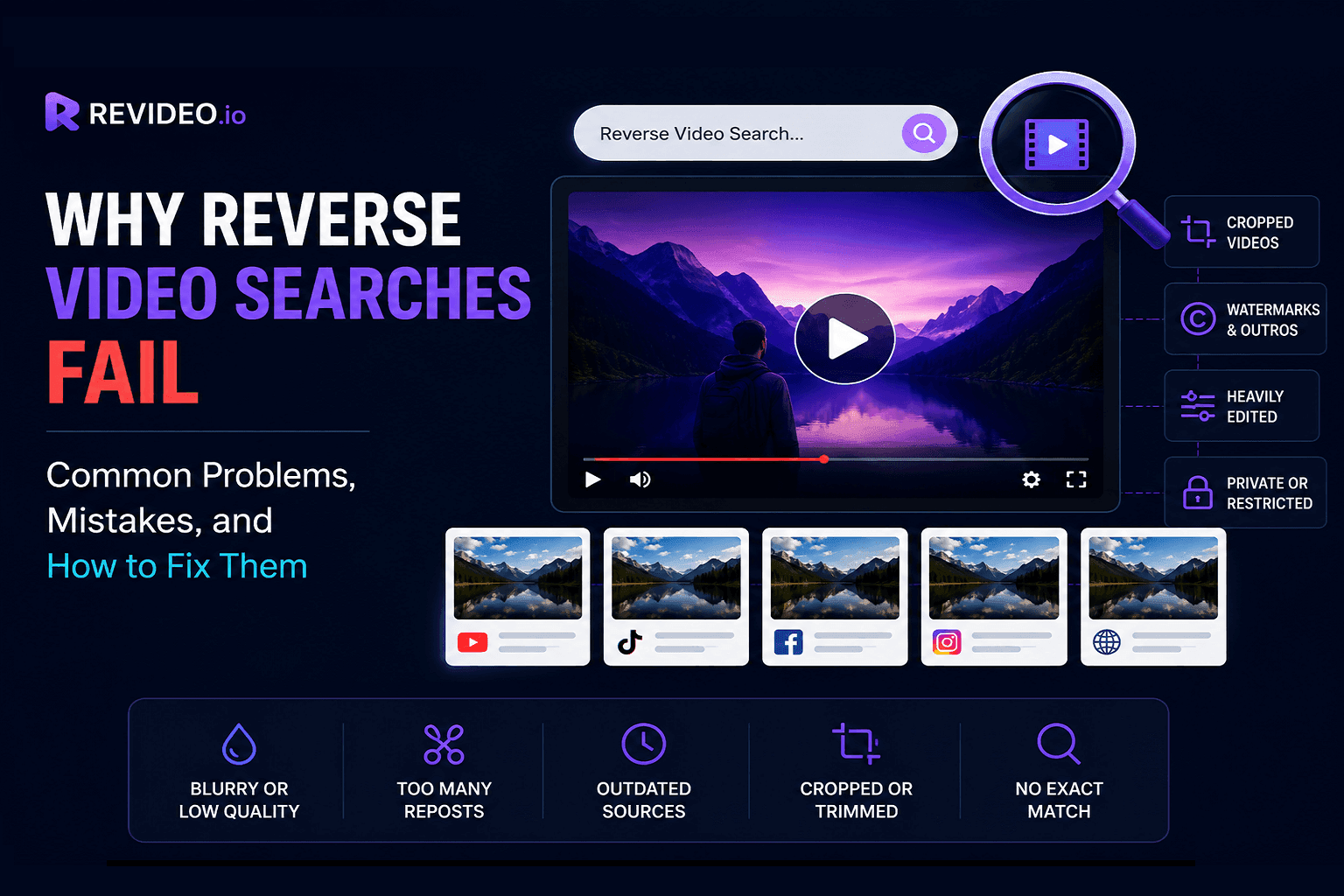
Reverse video search doesn't always deliver accurate results, especially when videos are edited, cropped, compressed, or unavailable online. This guide explains the most common reasons reverse video searches fail, the mistakes users make, and practical tips to improve accuracy and find the original source of any video.
Reverse video search analyzes the video and discovers similar reposts on the internet. But if it fails to find a duplicate video, then it could be an error by the tool or a mistake you may have made.
So, to help you understand why video reverse search fails, we have explained common problems and mistakes and how you can fix them to ensure you find the video you’re looking for.
Let’s dive in.
How Reverse Video Search Works
Reverse video search is a technique that enables users to locate duplicate videos across search engines and social media. Rather than searching by keyword, you upload the video and see if there are any non-credit reposts on the internet.
Here’s how reverse video lookup works to discover identical matches:
-
Analyze the entire video to understand the theme, recognize faces, and scan the background.
-
It then extracts key frames from the clip and compares them against the indexed database.
-
Each frame is checked against billions of visuals on search engines, social media, and video-sharing platforms to discover similar matches.
If there’s any duplicate clip posted online, it will be shown in the results along with the source link, thumbnail, and metadata.
Since reverse video finders rely on visual similarities instead of filenames or titles, even small edits like cropping, mirroring, compression, or added overlays can reduce matching accuracy.
Common Problems Users Face While Reverse Video Searching
Problem #1: No Results Found
This issue can be seen too often when you try to locate unauthorized reposts of your video. The “results not found” error can occur due to the following reasons:
-
The video is newly uploaded and isn’t indexed anywhere.
-
It’s not hosted on the selected search engine or social media.
-
The video is only shared privately and is not available publicly.
-
The video is screen-recorded, which can change its frames.
How to Fix It
Here’s a quick solution to fix this error:
-
Make sure the video is available publicly.
-
Avoid performing a reverse search on a screen-recorded clip.
-
Remove the filters and let the tool check the uploaded video across multiple platforms.
Problem #2: Results Don’t Match the Video
If the tool delivers you irrelevant results for your video, most probably it’s because of the intro and outro. If you download a video from TikTok or Instagram, they attach a specific intro and outro clip to it.
Reverse video search tools also extract those frames and scan them against the indexed database, delivering irrelevant results.
How to Fix It
Simply remove or trim the intro and outro parts from the video, and then perform a reverse visual search on it. This simple trick will resolve the irrelevant results issue.
Problem #3: Unable to Find the Original Source
Another common problem that you may encounter is when the tool can’t find the original source of the video. It is because the owner has removed the video or made it private so that no one can access it.
How to Fix It
If the reverse video finder can’t find the original upload of the clip, then there’s nothing you can do about it. Because the owner has restricted or removed the video from their social profile so that no one can view it.
Problem #4: Video URL Cannot Be Processed
Is the video search tool failing to fetch the YouTube video from the URL? It is because YouTube and other platforms restrict access to downloading the video. Or the other reason could be that the owner has set the video to private.
How to Fix It
The simplest solution is to make sure the uploaded video is public or not restricted by the platform. Also, download that video and then upload it to perform a reverse search.
Problem #5: Too Many Irrelevant Search Results
Since a video reverse search tool works frame by frame and analyzes different details. So, it may be possible that certain frames might be used in any other video, causing the tool to show irrelevant videos.
How to Fix It
To avoid irrelevant video search results, pick specific frames that 100% match your videos. This way, you can perform the custom frames search to locate any video online.
Problem #6: Multiple Sources Make It Hard to Identify the Original Upload
If you receive too many sources where the same video is uploaded, then finding the real owner would be a complicated and time-consuming task. It happens when people notice a unique video with a large number of views and reupload it on their social profile to increase engagement.
How to Fix It
In order to fix this issue and find the real owner, check the oldest date when this video was first uploaded on the internet. It would lead you directly to the real owner of the clip.
Problem #7: Edited, Cropped, or Reuploaded Versions Dominate Results
People often crop, edit, or trim the video to avoid copyright on their channels or profiles. You can find countless such videos/clips on the internet, making it harder to find the original creator.
How to Fix It
If you see multiple short clips of your videos uploaded by others and want to know where else your videos are being utilized, then make sure to upload the original full-length clip into the tool. This way, the AI reverse video search tool will extract multiple frames from the video and find similar or exact matches across social media and search engines.
Common Mistakes Users Make While Reverse Video Searching
Mistake #1: Uploading Low-Quality Video Frames
Reverse video search engines find it hard to process low-quality or blurred videos, leading to a " No results found" error.
Why It’s a Problem
Tools like Revideo, Google Lens, or other reverse video finders help locate exact matches for extracted frames. And if the video is blurred or low-quality, it can make it harder to find relevant or similar results across the internet.
How to Avoid It
Make sure to upload only high-quality and original videos so that video reverse search tools can effortlessly recognize exact or similar matches online.
Mistake #2: Uploading Long or Large Video Files
The majority of online video finders let you upload a video file of certain sizes. This means that if the video exceeds the recommended size, the tool will not be able to fetch it.
Why It’s a Problem
When the file won’t be uploaded into the video matching tool, the tool will fail to initiate the search. For instance, Revideo lets you upload up to a 100MB video file, so make sure you only upload the video under this specific file size.
How to Avoid It
In order to avoid this issue, make sure the uploaded video does not exceed the recommended size provided by the tool.
Mistake #3: Searching for a Screen Recording Instead of the Original Video
Sometimes, people do a screen recording of the video and try to find exact matches online, but get no results. This is because when you record the clip, the UI of your device also appears in the video, which alters frames.
Why It’s a Problem
Reverse video search tools scan the video and extract key frames from it; they can’t find similar results in the indexed database.
How to Avoid It
Just don’t screen record the video. If you are unable to download the video from social media like Instagram directly, then use a third-party tool (Instagram video downloader) to download it.
Mistake #4: Uploading an Unsupported File Format
Certain reverse video finders only support specific video file formats, including MP4, MOV, AVI, WEBM, and GIF. If your video is in a different format, like MKV or GIF, tools might fail to process it.
Why It’s a Problem
When the tool does not process the uploaded video, you won’t be able to discover where your videos are being utilized across the web and social media.
How to Avoid It
The only solution to overcome this problem is to upload the video in a specific file format accepted by the tool. Or you can first convert the video into a specific format and then try it.
Mistake #5: Uploading Private or Restricted Videos
Reverse video search tools can only scan through indexed and public data. And if the video you are trying to check is private or restricted, then the tool will fail to deliver results.
Why It’s a Problem
Restricted and private videos are only available to the owner and the people they have allowed. This makes it complicated to find any similar matches of the same video online.
How to Avoid It
Make sure the video you are trying to look up on the internet is not private or restricted by the uploader. Change the restriction from the application settings and switch your profile to public.
Mistake #6: Ignoring Key Moments in the Video
If you are doing a manual reverse video lookup, then extract frames of the main scenes from the video. Scenes that have a clear picture of the person in the video, a complete background, and everything.
Why It’s a Problem
If you ignore these crucial details while extracting key moments, then tools would find it hard to discover similar results online.
How to Avoid It
As mentioned above, make sure the screenshots you take contain every detail, and they’re not blurry. With clear details, it would be easier for a duplicate video finder to find duplicate results across the internet.
Mistake #7: Cropping Out Important Visual Details
Cropping the video can be for different reasons, like there’s a watermark or logo in a corner, or some filter effect that needs to be cut off.
Why It’s a Problem
When you are cropping the video, it also hides the key details from the frame, leading to no results found error.
How to Avoid It
When you are cropping something from the video, make sure to watch the full clip and see if it has also removed any other detail. This will help you avoid cropping out critical visual details.
Mistake #8: Expecting Exact Matches Every Time
People always expect 100% accurate results from reverse video search tools, and that’s a big mistake. Because tools can often make mistakes or be unable to locate any duplicate reposts. And in most cases, the video hasn’t been used on the internet.
Why It’s a Problem
When people don’t get any results, they think the tool is not working properly or something. But that doesn’t happen all the time.
How to Avoid It
Make sure the video you upload is available publicly on the internet. It has all the critical details in the frame so that the repost detection tool can easily find reposts online across the web.
Mistake #9: Leaving TikTok Watermarks and Outros
If you have downloaded the video from TikTok and want to do a lookup, then make sure you remove the TikTok outro from the clip.
Why It’s a Problem
Video reverse search tools also extract the scenes of outros and find similar results online. Since all the videos have the TikTok watermark, reverse video finders may provide irrelevant matches.
How to Avoid It
To avoid this issue, simply remove the outro from the video and only upload the video with the main scenes.
Mistake #10: Not Using an AI-Powered Reverse Video Search Tool
Make sure to pick the best reverse video search tools that are powered by artificial intelligence (AI). They do deep research and only discover videos that are highly matched.
Why It’s a Problem
Certain tools only extract one or two frames from the video and perform reverse video lookup. But the AI-powered video finder extracts multiple key frames from the video and finds similar results online.
How to Avoid It
Search the internet for “AI reverse video search tools” and analyze their content and features to see if they are genuinely using AI technology.
Reverse Video Search Best Practices for Better Results
-
Use Multiple Key Frames: If you are doing a manual visual video search, always extract several frames from the video. This way, there won’t be any missing details or reposts on the internet.
-
Choose High-Quality Visuals: Ensure the video is high-quality and not distorted. Even if you have the thumbnail or screenshot of the main scene from the video, it should be high-quality and not blurred.
-
Compare Results Across Sources: Never rely on a single search platform. Because you don’t know which platforms your video has been reposted. So, do a reverse video lookup across different platforms and sources to find any matching results.
-
Verify Upload Dates: Always check and verify the date of videos you get in the search results. This will help you discover the real owner of the clip and see on which platform it was uploaded.
-
Use AI-Powered Reverse Video Search Tools: Pick an AI-powered reverse video lookup tool rather than a normal one. Because advanced AI tools can check the video across multiple search engines and social platforms in a few seconds.
How Revideo Helps Improve Reverse Video Search Accuracy
Revideo.io is an AI-powered reverse video search engine that instantly discovers where your videos are being reposted without your permission. It checks different platforms to locate even a slight match of your video and provides you with the source link.
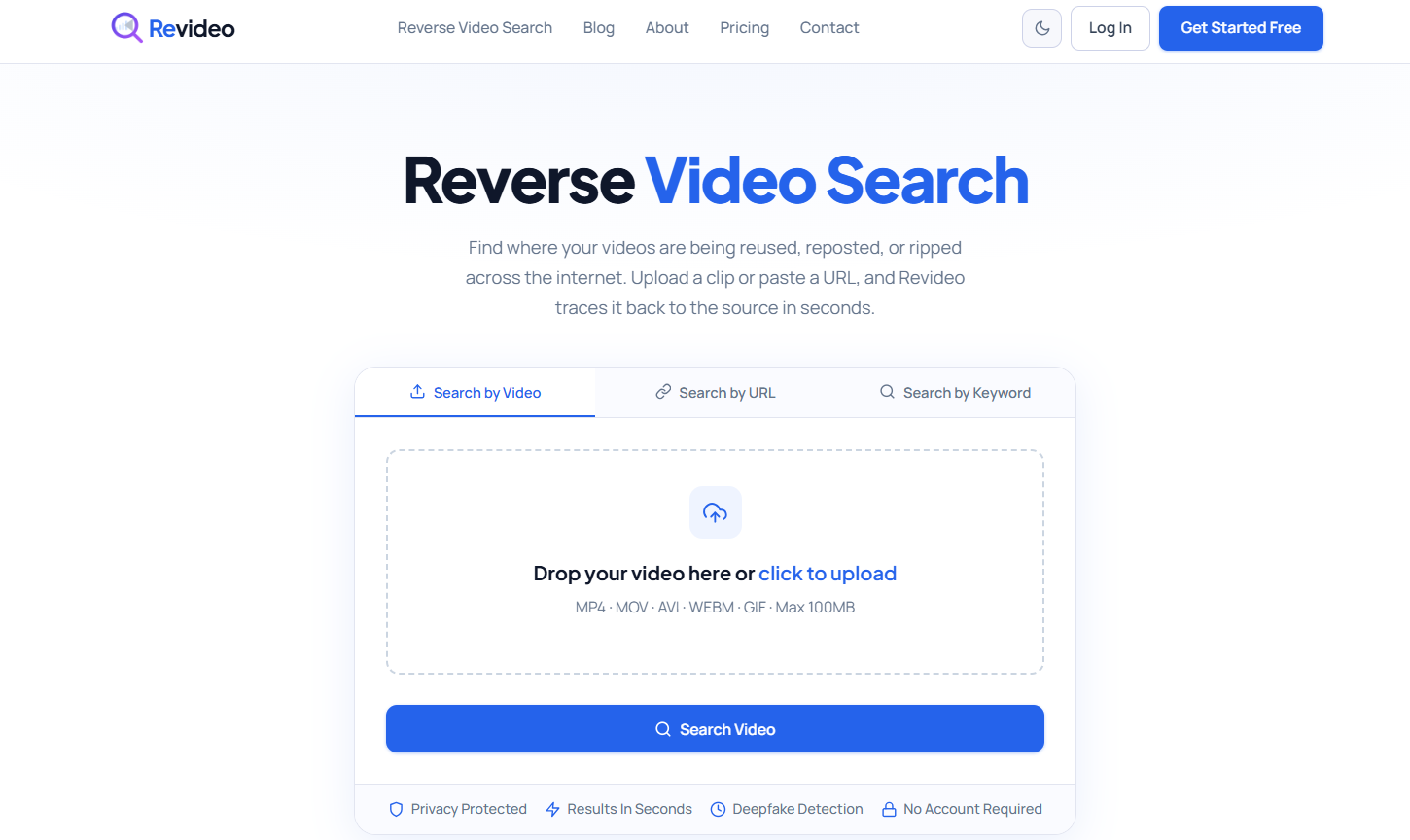
Let’s talk about how using Revideo can improve reverse video lookup accuracy:
-
Analyze every single frame in the video using AI-powered technology.
-
Search through different platforms and deliver results faster.
-
Find edited or mirrored uploads of the video across the internet.
-
Enable users to search for videos by uploading the file or simply pasting the URL.
-
Reliable and accurate in searching videos across websites.
Frequently Asked Questions
Here are some commonly asked questions regarding video reverse search.
-
Why does reverse video search return no results?
If there are no results found, it means the video has been removed by the owner or is heavily edited. This causes the reverse video search tool to return no results.
-
Can reverse video search find the original video source?
Yes, with a video tracing tool, you can also discover the original source of the video. It also finds the date when the video was first uploaded; that gives you a clue to see who the original uploader of the specific clip is.
-
How many frames should I use for reverse video search?
In order to perform an accurate reverse video lookup, extract multiple frames from the clip and use them to locate any duplicate or unauthorized reupload. It can discover results with more accuracy and find any identical matches across the internet.
-
Do watermarks affect reverse video search accuracy?
Yes, watermarks and outros affect the accuracy, as they are the same in all videos. So, consider removing certain parts or cropping the video accordingly to get the best matching results.
-
What video formats work best for reverse video search?
You can upload MOV, MP4, AVI, GIF, or WEBM videos into an online tool. If you have a video in another format, consider converting it first and then performing a reverse search on it.
-
Can reverse video search detect edited or cropped videos?
If the main scenes of the videos aren’t cropped or heavily edited, the tool may find similar clips across social media and search engines.
-
Is an AI-powered reverse video search tool more accurate?
Yes, an AI-powered reverse video finder is more accurate than a normal video finder. It checks the uploaded video against extensive indexed visuals and finds even a slight match online.
-
Can reverse video search work on TikTok or Instagram videos?
Yes, reverse video search can work on TikTok and Instagram videos if they are publicly available. However, edited clips, watermarks, cropped scenes, or added intros and outros may reduce the accuracy of search results. For better matches, use the original video version if possible.
Final Thoughts
Reverse video search is a powerful way to track video reposts, identify original creators, and discover where content appears online. However, both technical limitations and user mistakes can affect the accuracy of search results. By understanding common problems, avoiding frequent errors, and following best practices, you can significantly improve your chances of finding relevant matches. Using high-quality videos, selecting key frames carefully, and relying on advanced AI-powered tools like Revideo can help you achieve faster, more accurate reverse video search results.