How it works · Product tour

See how Revideo finds every copy of your video — screen by screen.

This is the real product, not a mock-up. Follow one video from upload to takedown, and click any numbered marker to see what each part of the screen does.

1
STEP 1 · ON THE HOMEPAGE

Add the video you want to trace

Start right on the homepage — no account needed. Drop in a file from your computer or paste a link to a video that’s already online.
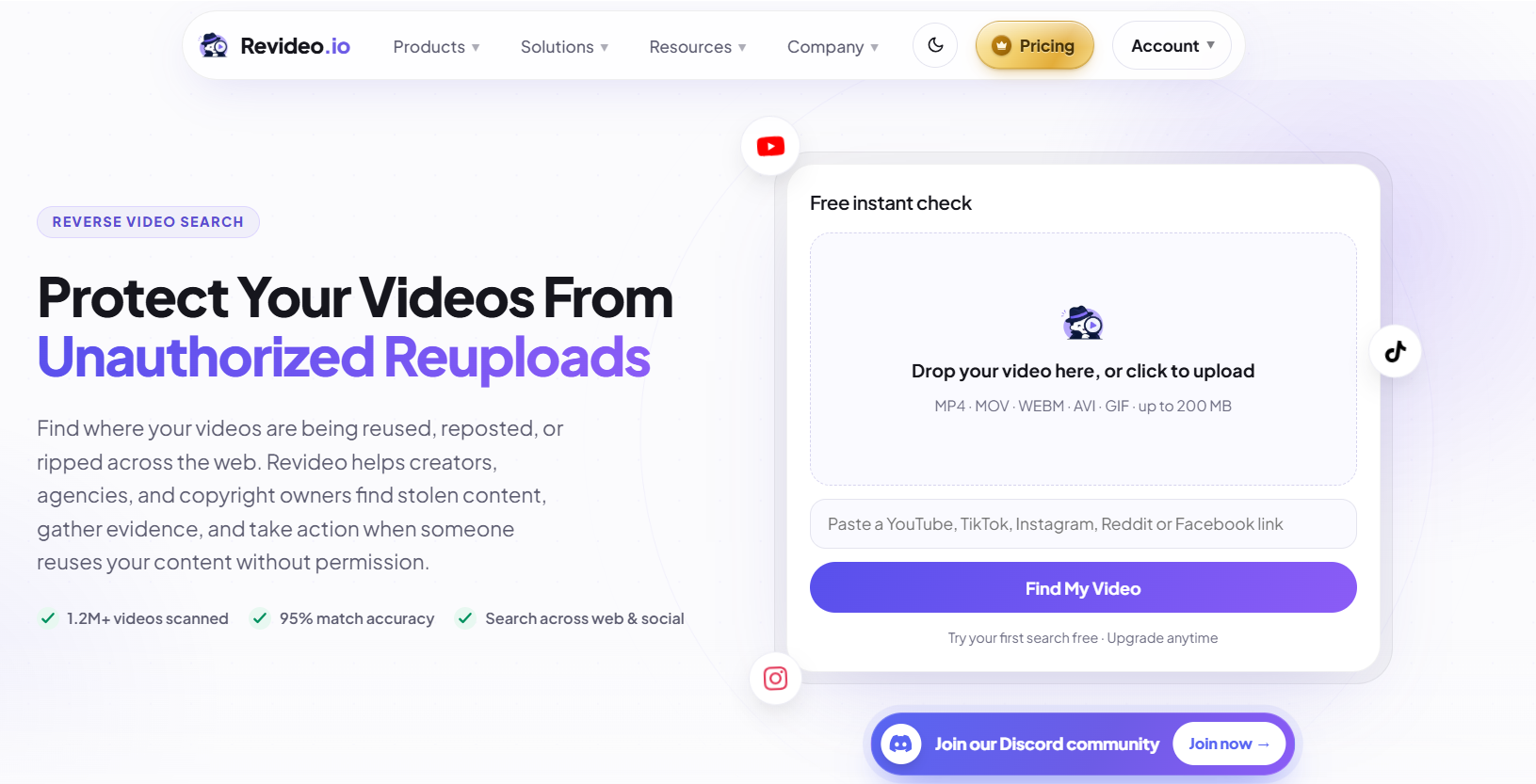
Revideo homepage upload box with drop zone, link field and Find My Video button
2
STEP 2 · CHOOSE HOW DEEP TO LOOK

Pick Basic or Deep search

Once your file is ready, choose a search mode. Basic is a quick visual check. Deep searches more sources and verifies every match. Switch the tabs to see both.
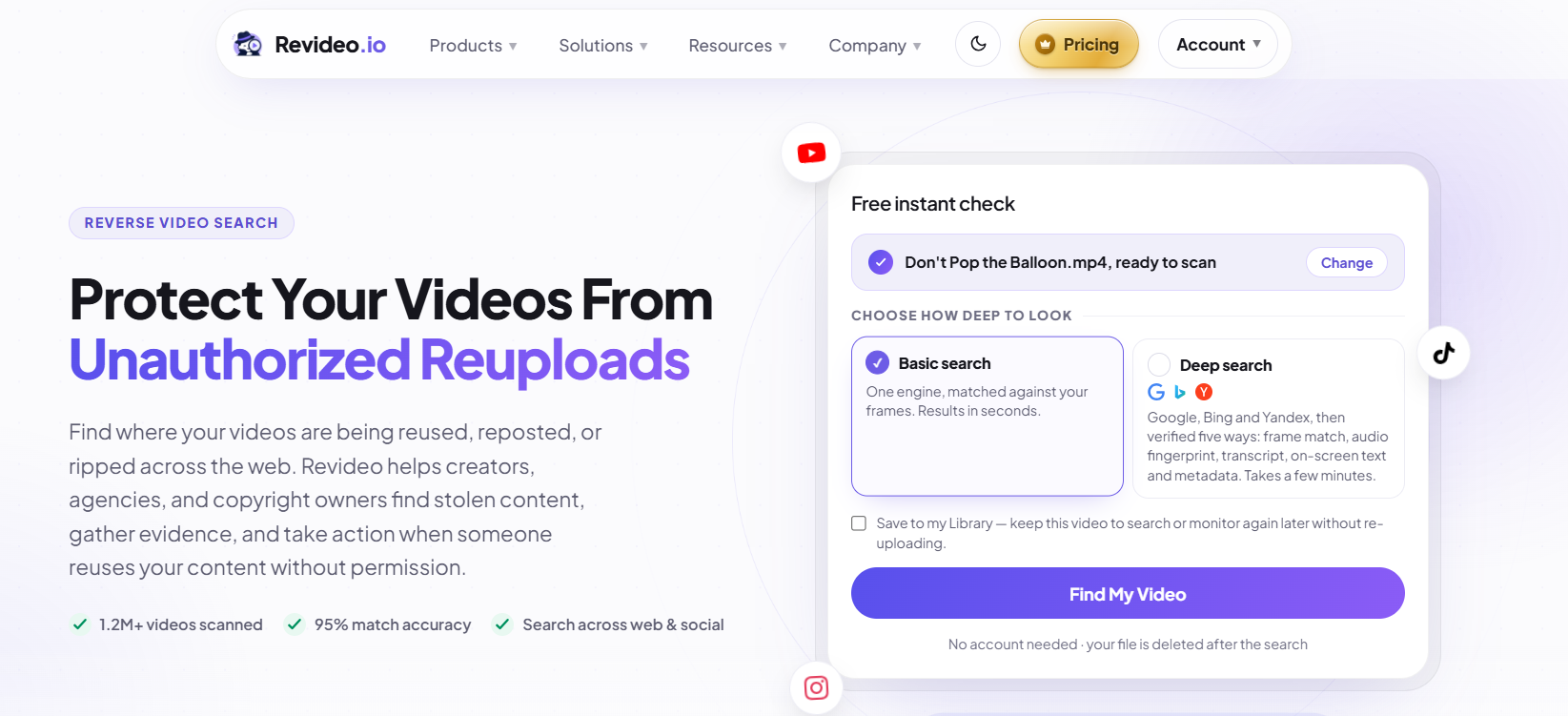
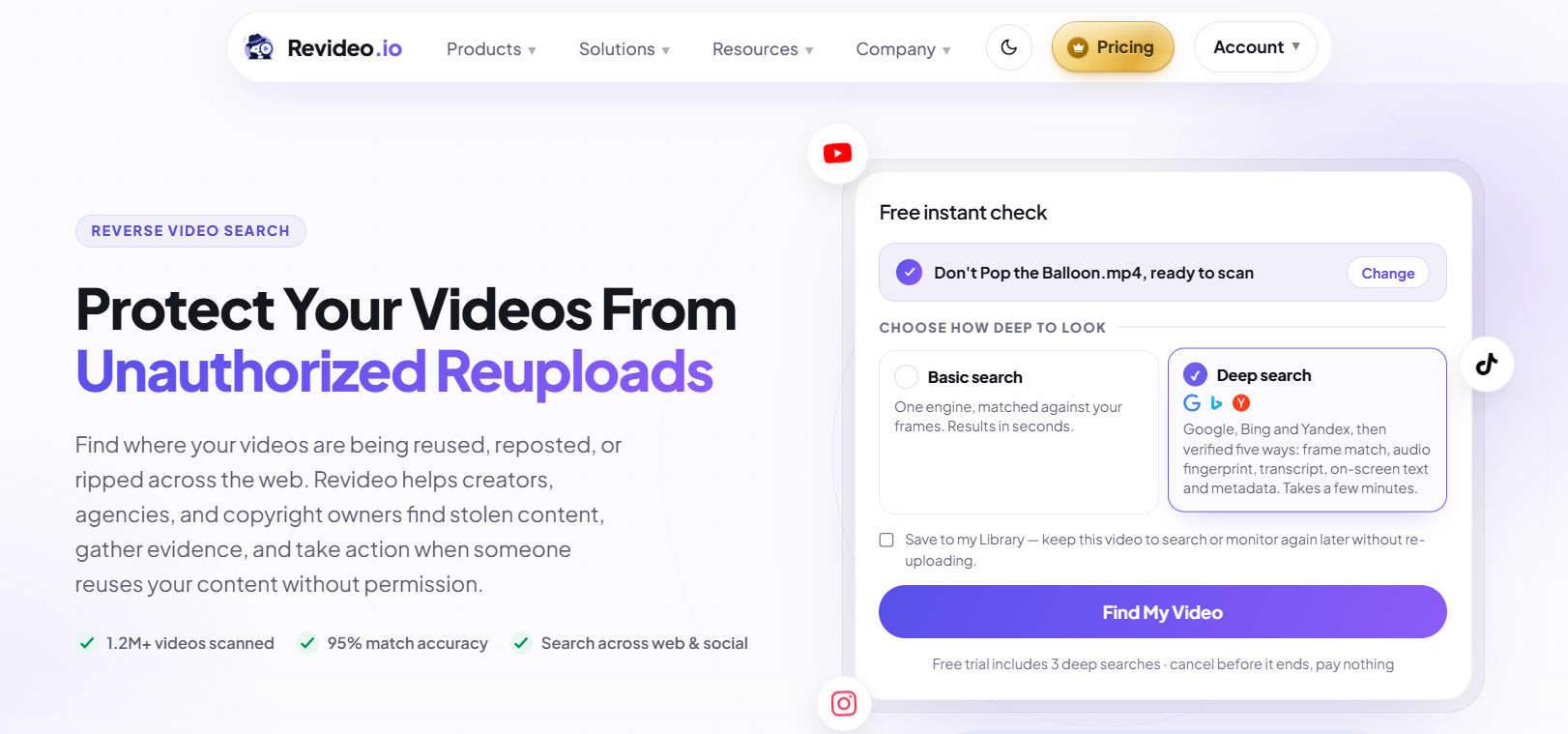
Upload box with Basic search selected
3
BASIC PATH STEP 3 · YOUR RESULTS

Read your Basic search results

In seconds you’ll see every place your video appears, ranked and grouped. Here’s what each part of the results page tells you.
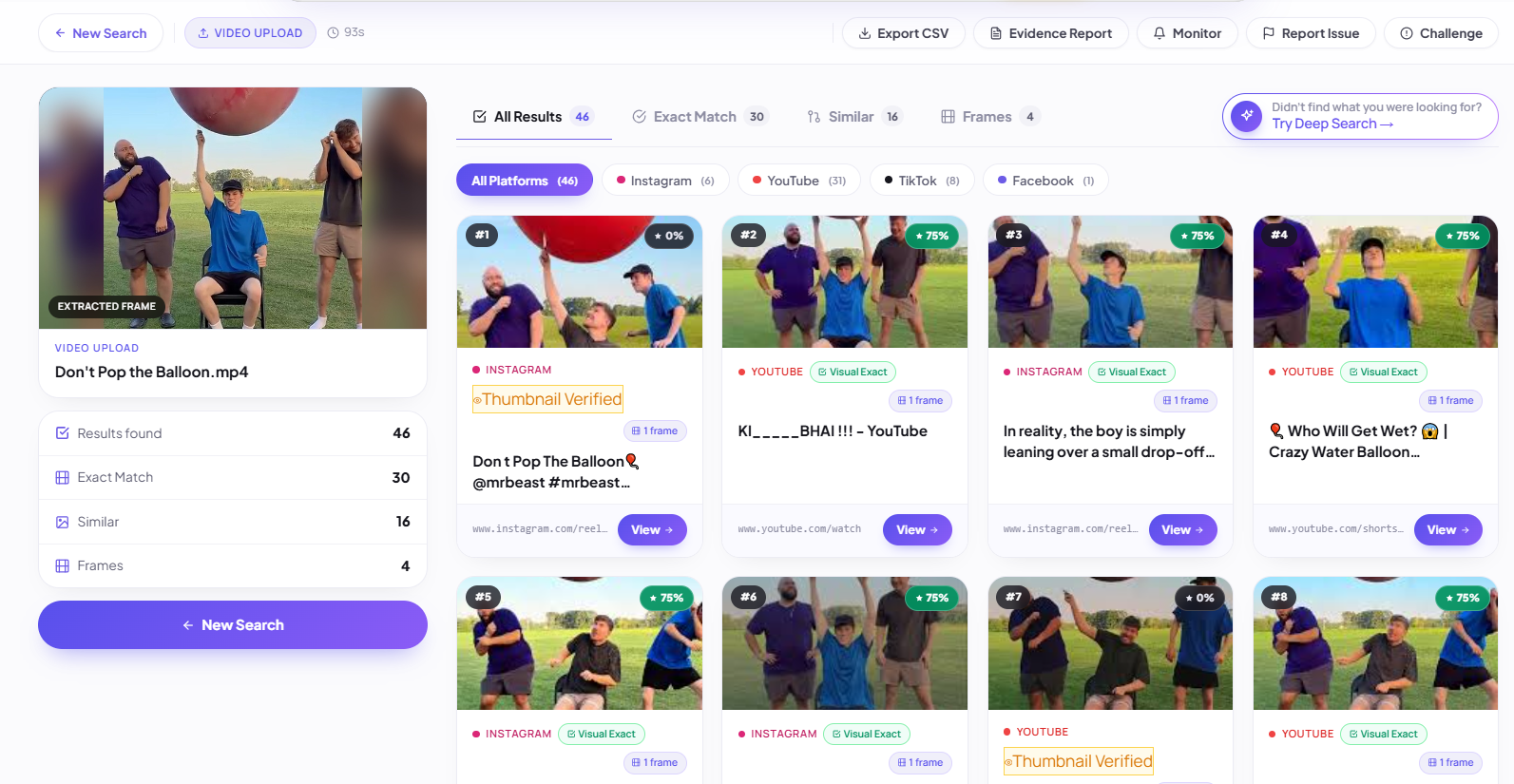
Basic search results page showing matches as cards across Instagram, YouTube, TikTok and Facebook
Need proof, not just links?Run a Deep search on the same video. Every match gets checked six ways and comes with side-by-side evidence. See how Deep search works
DEEP PATH · STEPS 4–9

Deep search: from candidates to confirmed copies.

Deep search pulls candidates from Google, Bing, Yandex, YouTube, TikTok, Instagram, Facebook and 100+ other platforms, then runs six checks on each one: thumbnail, metadata, visual, subtitles, on-screen text and audio.

4
DEEP PATH STEP 4 · THE SEARCH STARTS

Deep search gets to work

Your search opens in the dashboard and starts collecting candidates straight away. It usually takes 1–5 minutes — you don’t have to wait on the page.
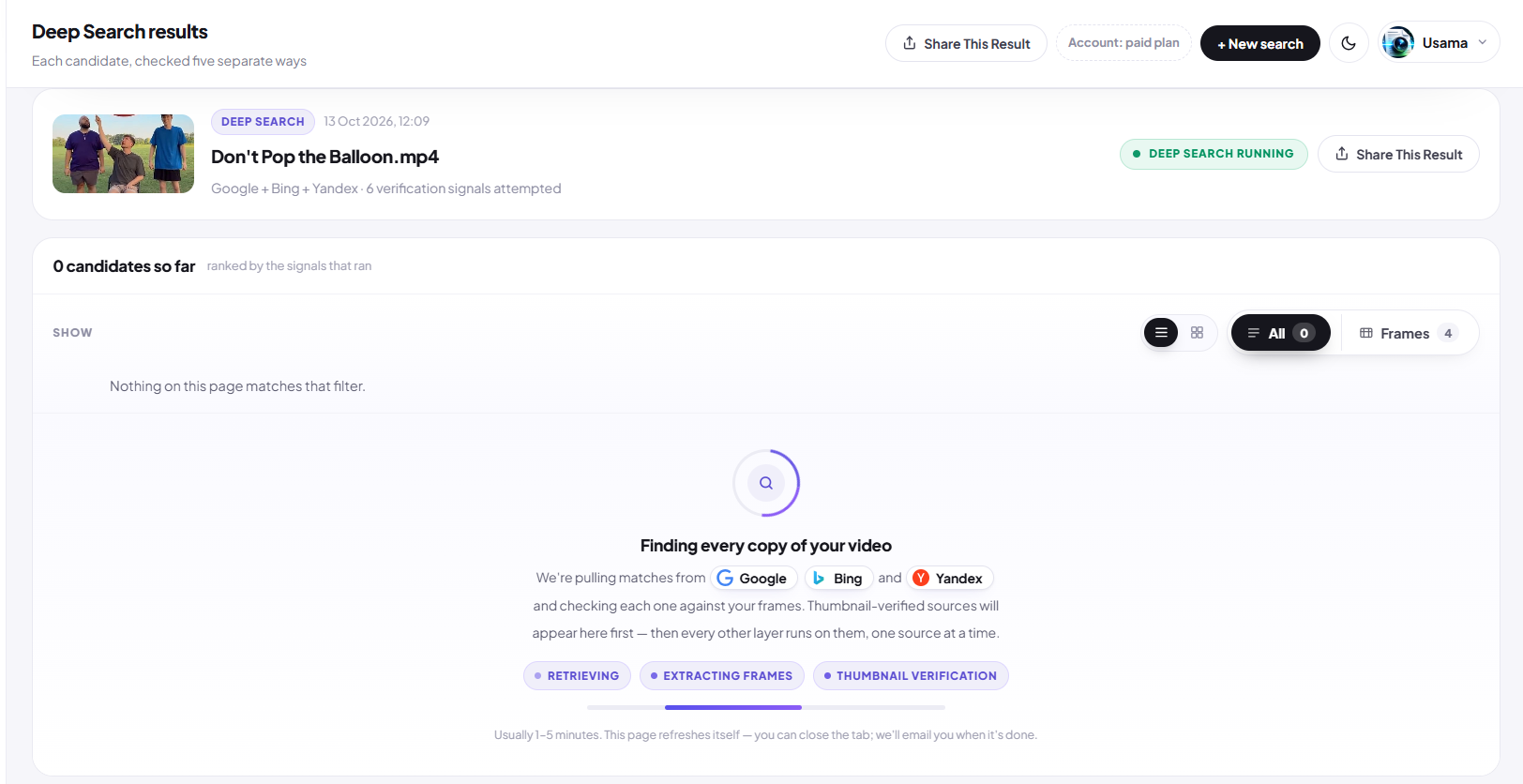
Deep search results page while running, showing retrieval and verification stages
5
DEEP PATH STEP 5 · LIVE VERIFICATION

Watch every source and every check, live

The search page shows exactly where Revideo is looking and which verification layers are running on the candidates it found.
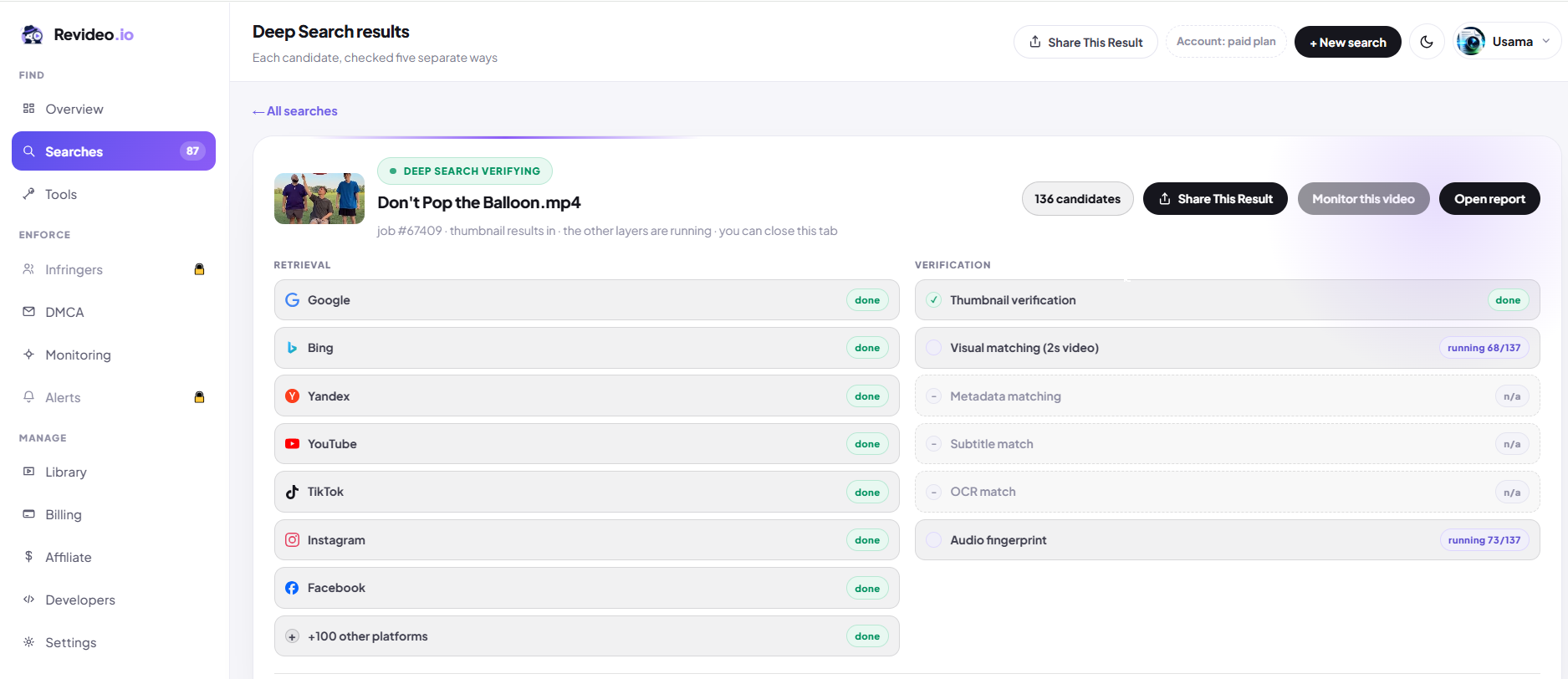
Deep search dashboard showing retrieval sources and six verification layers with progress
6
DEEP PATH STEP 6 · YOUR MATCHES

Review every candidate, ranked by proof

Each candidate shows which of the six checks passed and an overall confidence score — so you can see at a glance which ones are real copies.
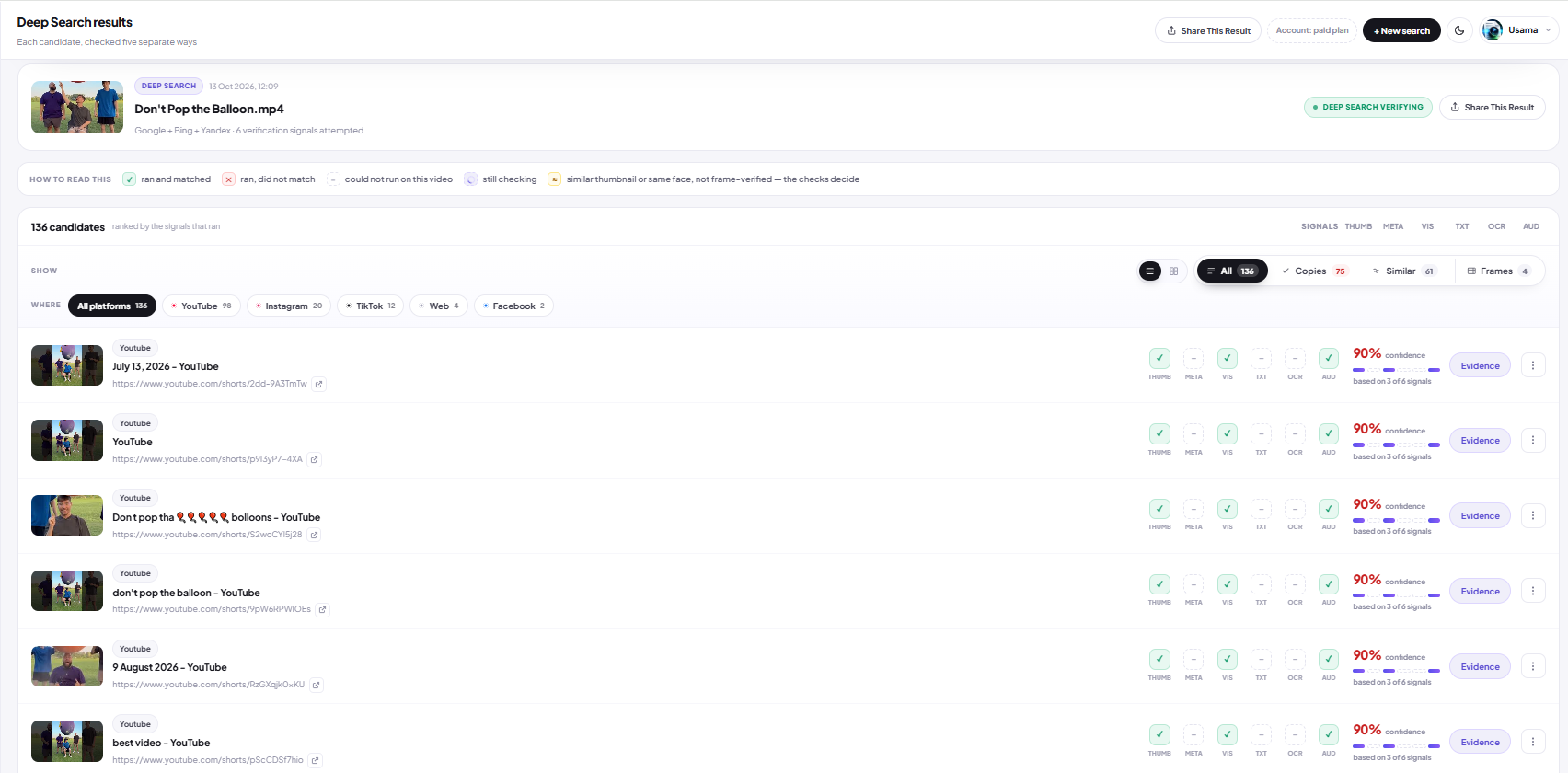
Deep search results list with candidates, signal checks and confidence scores
What the six signal boxes mean
THUMBThumbnail matches yours
METATitle, description, duration, date
VISFrames match second by second
TXTSubtitles or spoken lines match
OCROn-screen text matches
AUDSame audio recording
✓Ran and matched ✕Ran, didn't match –Couldn't run on this video (e.g. no subtitles)
7
DEEP PATH STEP 7 · THE EVIDENCE

Verify it yourself, side by side

Click Evidence on any match. Both videos play in sync, so you can check the frames, visuals and audio with your own eyes and ears before you take any action.
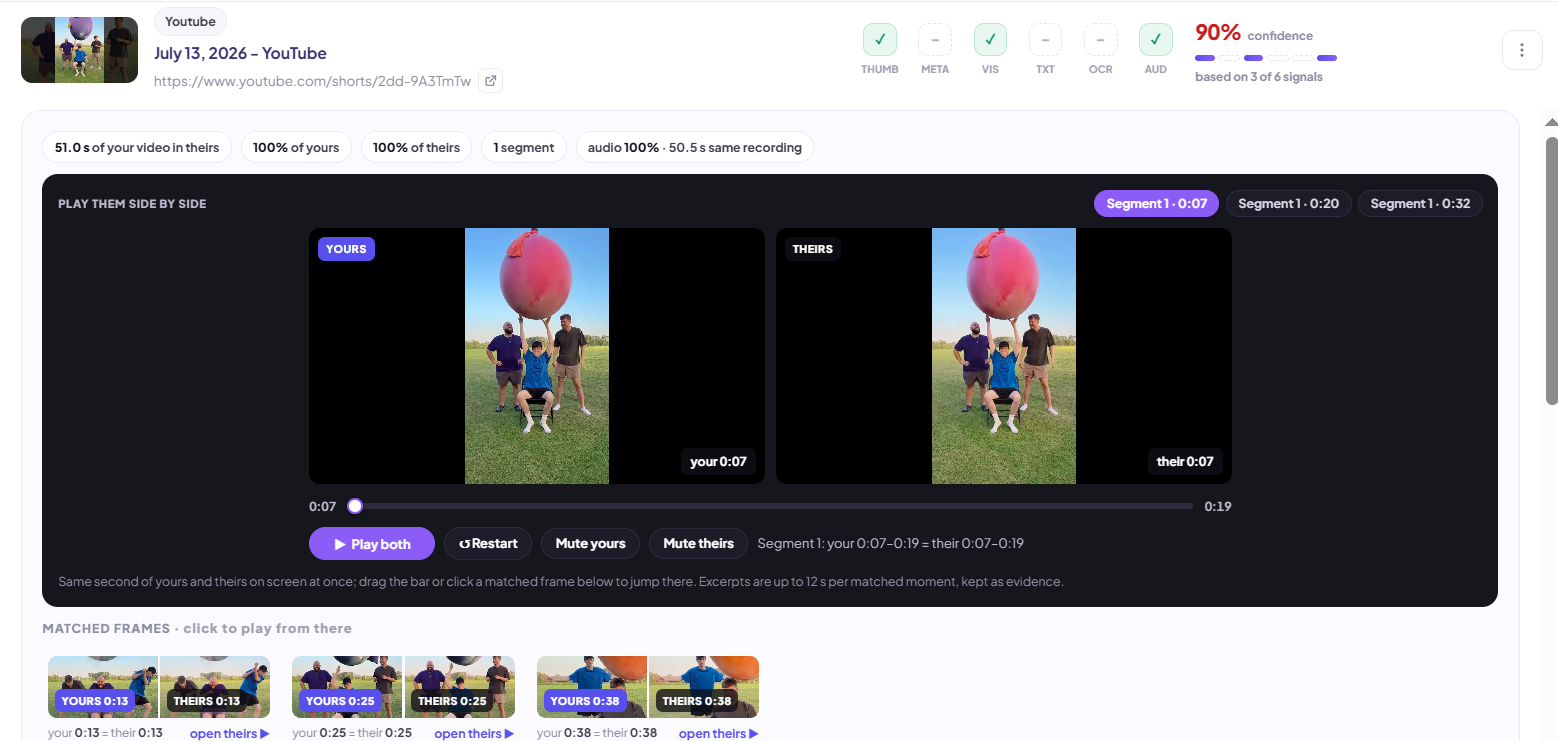
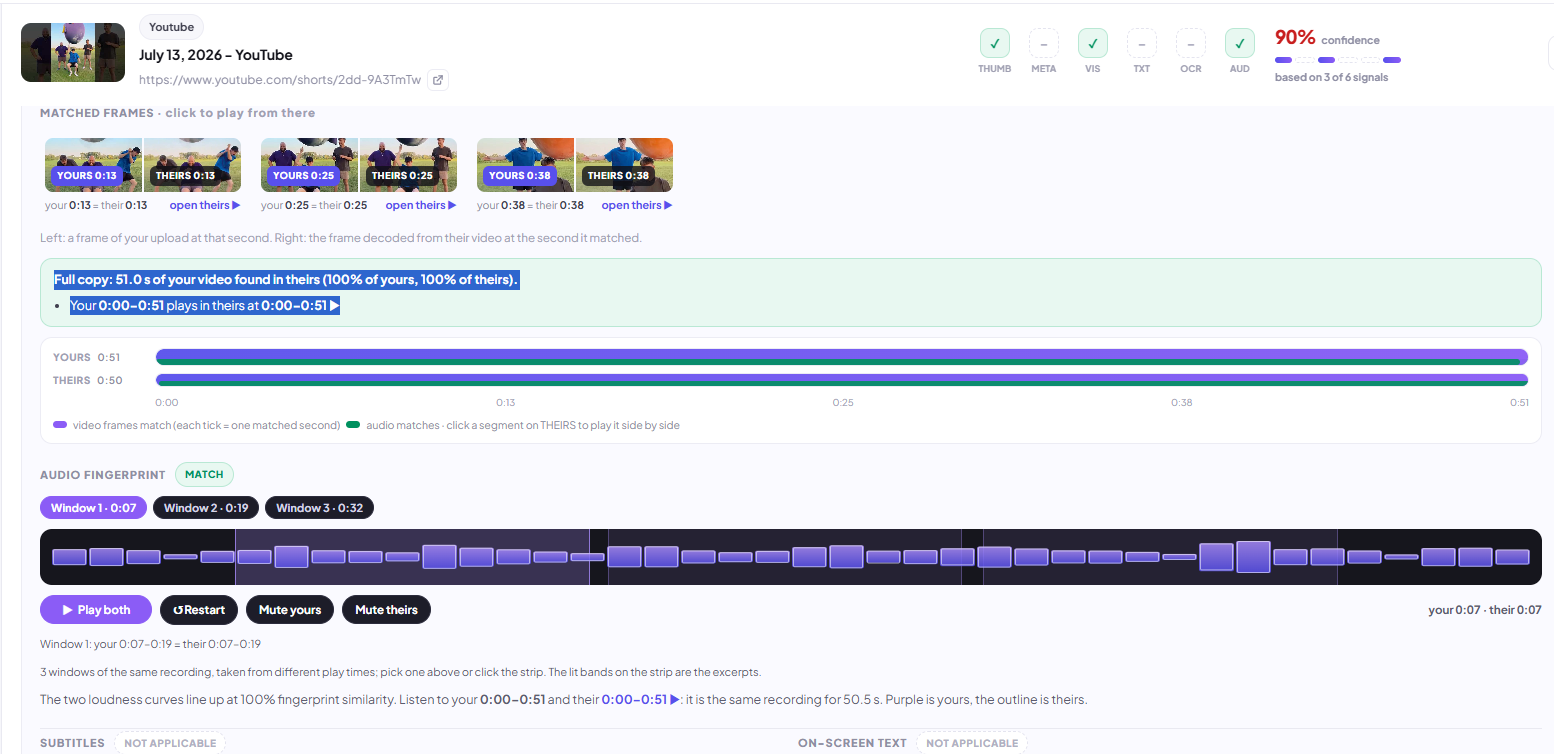
Evidence view playing both videos side by side with matched frames
FROM THE EVIDENCE VIEW YOU CAN
Open sourceGo straight to the copy on its platform.
Export evidenceSave the match proof to share or file.
Take it downSend a DMCA notice for this video.
8
DEEP PATH STEP 8 · TAKE ACTION

Decide what happens to each copy

Open the ⋮ menu on any match to take it down, ask for credit, or dismiss it. Every option uses the evidence Revideo already collected.
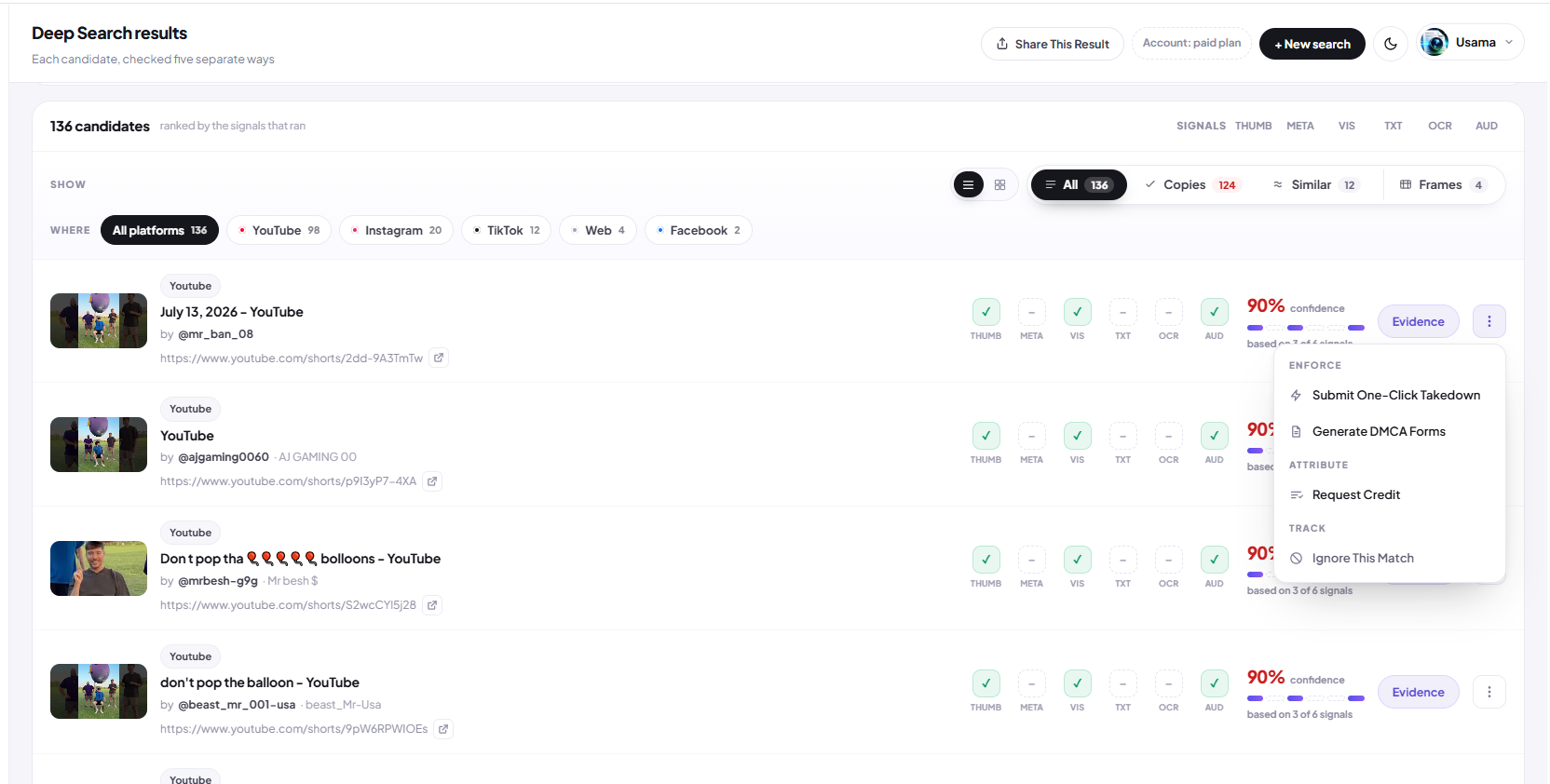
Match actions menu with Submit One-Click Takedown, Generate DMCA Forms, Request Credit and Ignore This Match
9
DEEP PATH STEP 9 · WHEN THE SEARCH IS DONE

Report, share, monitor and take it all down

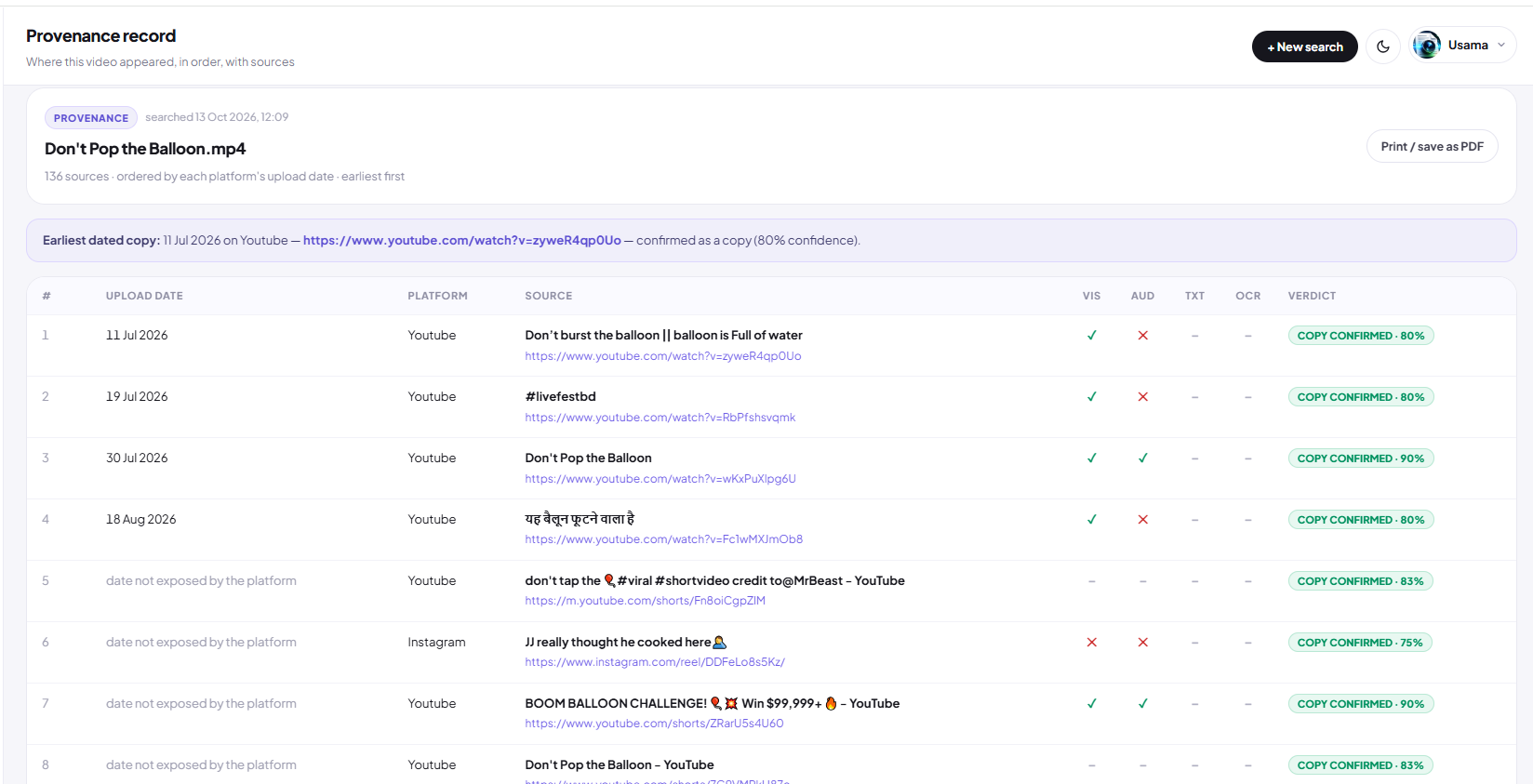
A finished Deep search unlocks a toolbar that works on all your results at once. Pick a tab to see each feature in the real product.
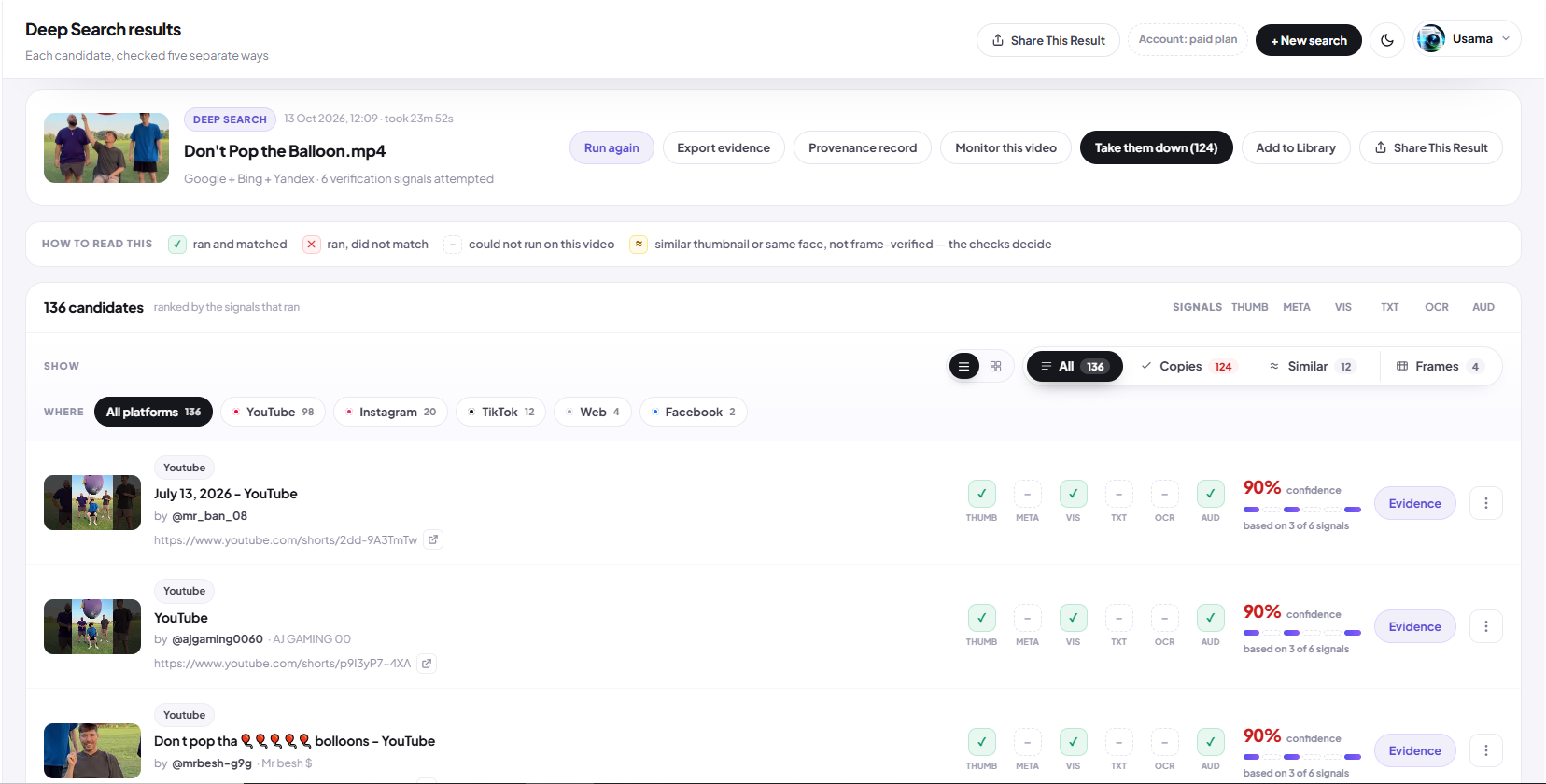
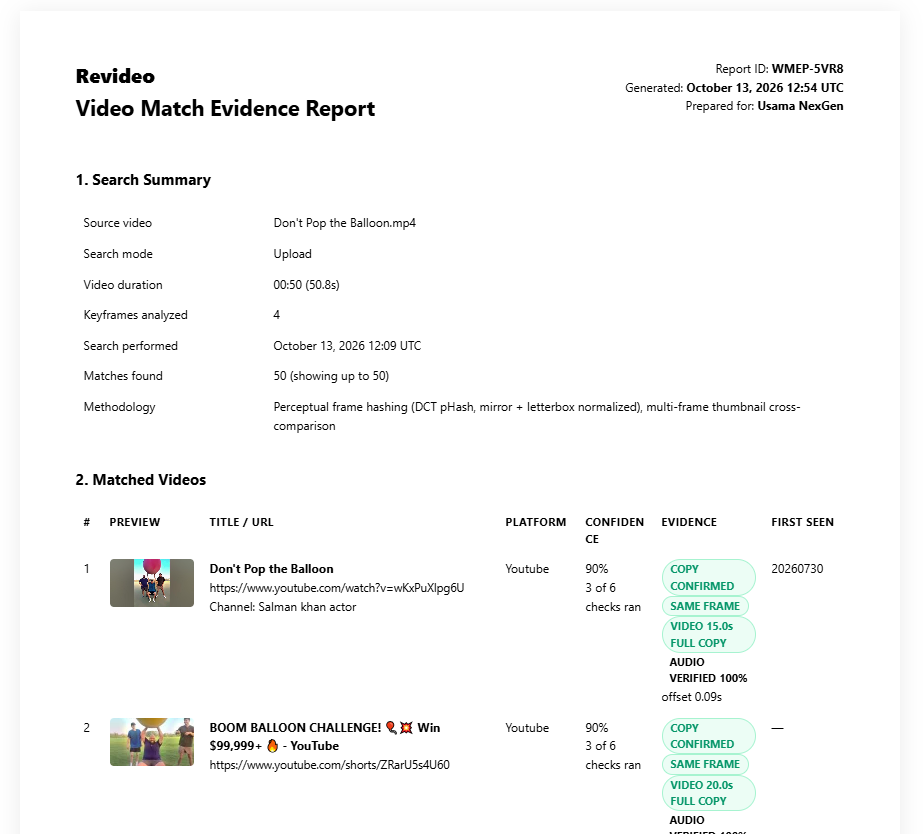
One toolbar for the whole searchWhen verification finishes, these buttons appear at the top of your results. Each one acts on every confirmed copy at once.
Finished Deep search with Run again, Export evidence, Provenance record, Monitor, Take them down, Add to Library and Share buttons
Your dashboard

Everything else lives in the left sidebar

Once you have an account, the sidebar is organised around three jobs: finding copies, enforcing your rights, and managing your account.

FIND
OverviewA summary of your searches and recent findings.
SearchesEvery Basic and Deep search you’ve run, with results.
ToolsTikTok and YouTube finders, frame extractor and more.
ENFORCE
InfringersAccounts reusing your content, grouped together.
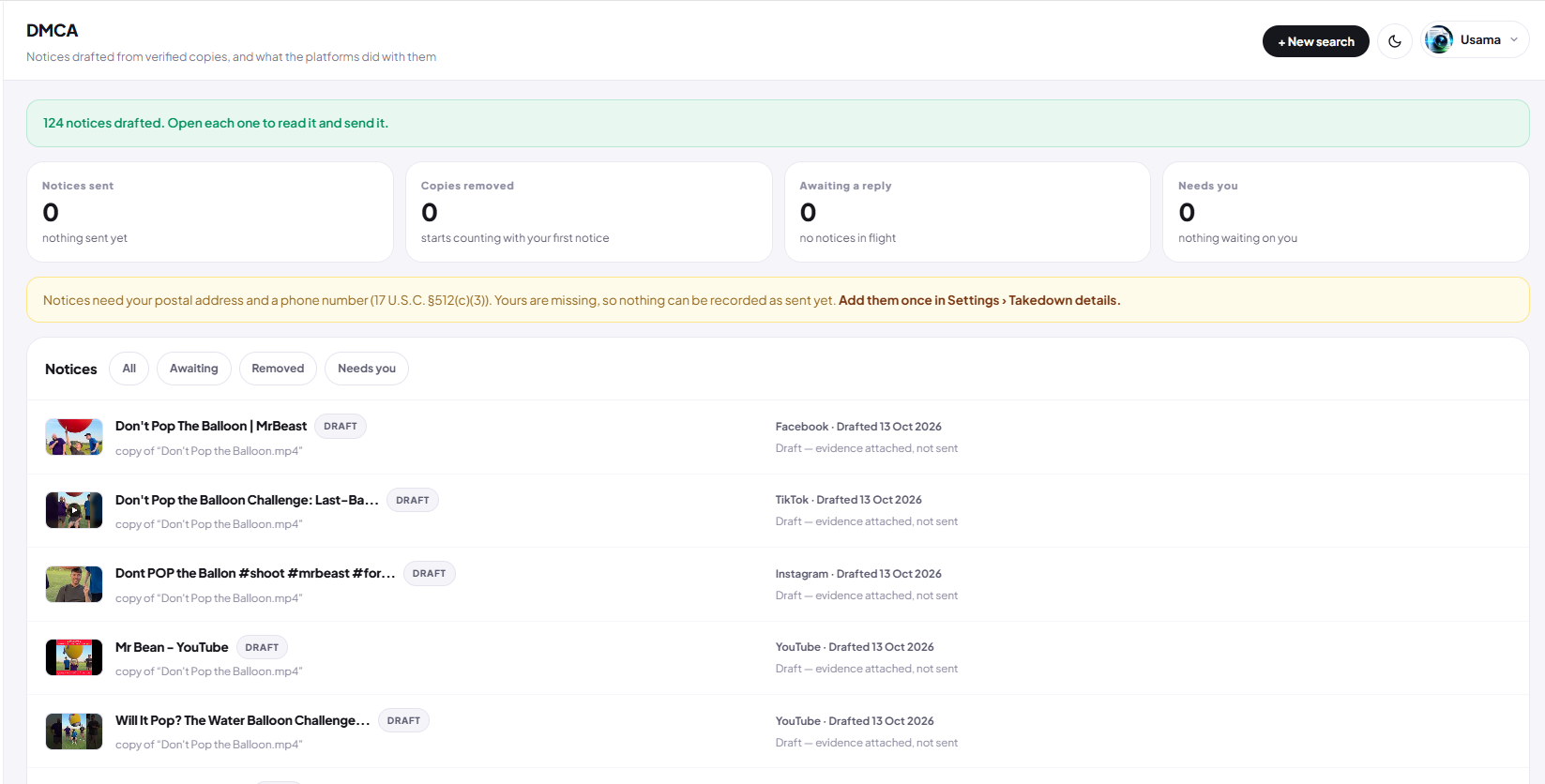
DMCATakedown notices you’ve generated or sent.
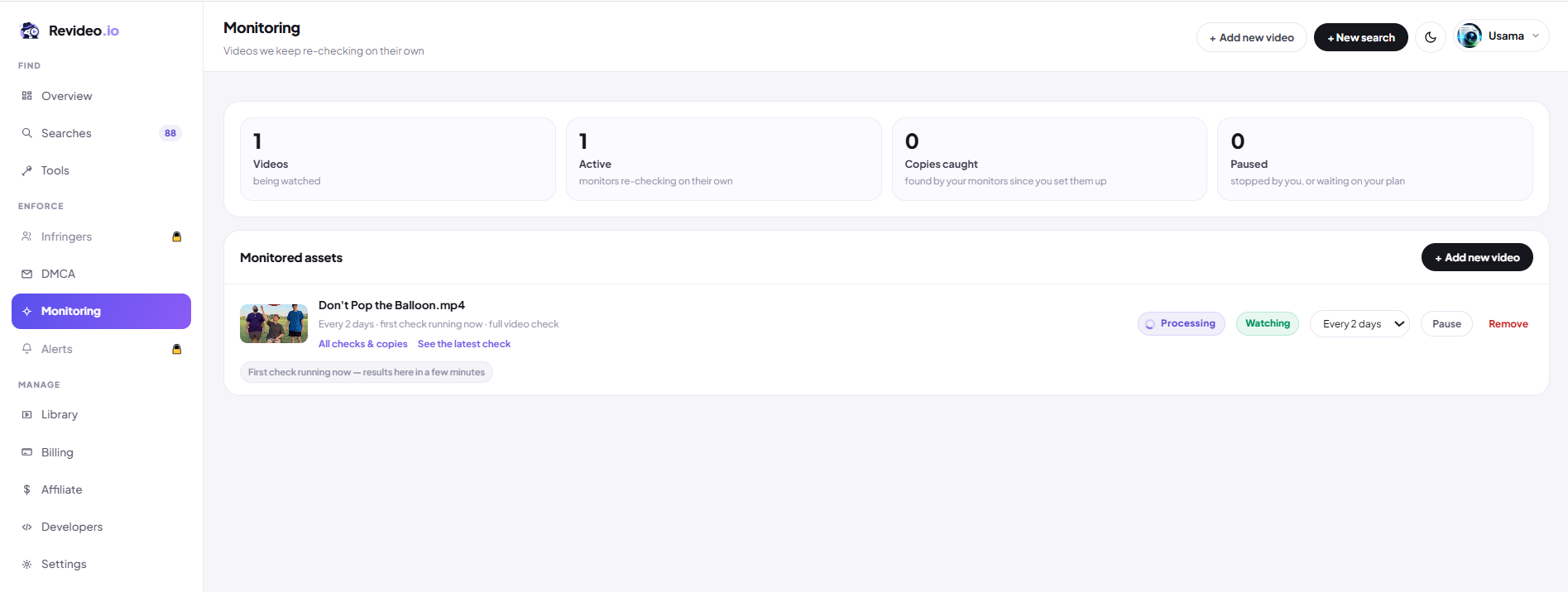
MonitoringVideos Revideo re-scans for you on a schedule.
AlertsNotifications when a new copy turns up.
MANAGE
LibrarySaved videos you can search or monitor again without re-uploading.
Billing & SettingsYour plan, invoices and account preferences.
Affiliate & DevelopersReferral earnings and API access.
Recap

Basic finds it. Deep proves it.

Basic searchFree
  • ✓ Visual matching across the web
  • ✓ Results in seconds
  • ✓ Match score, platform filters, CSV export
  • ✓ No account needed · file deleted after search
Run a Basic search
Deep search3 free in trial
  • ✓ Google, Bing, Yandex + 100+ platforms
  • ✓ Six verification layers per match
  • ✓ Side-by-side video and audio evidence
  • ✓ One-click takedown, DMCA forms, credit requests
Start free trial

You've seen how it works. Now try it on your video.

Your first search is free and takes seconds. Your file is deleted as soon as it's done.