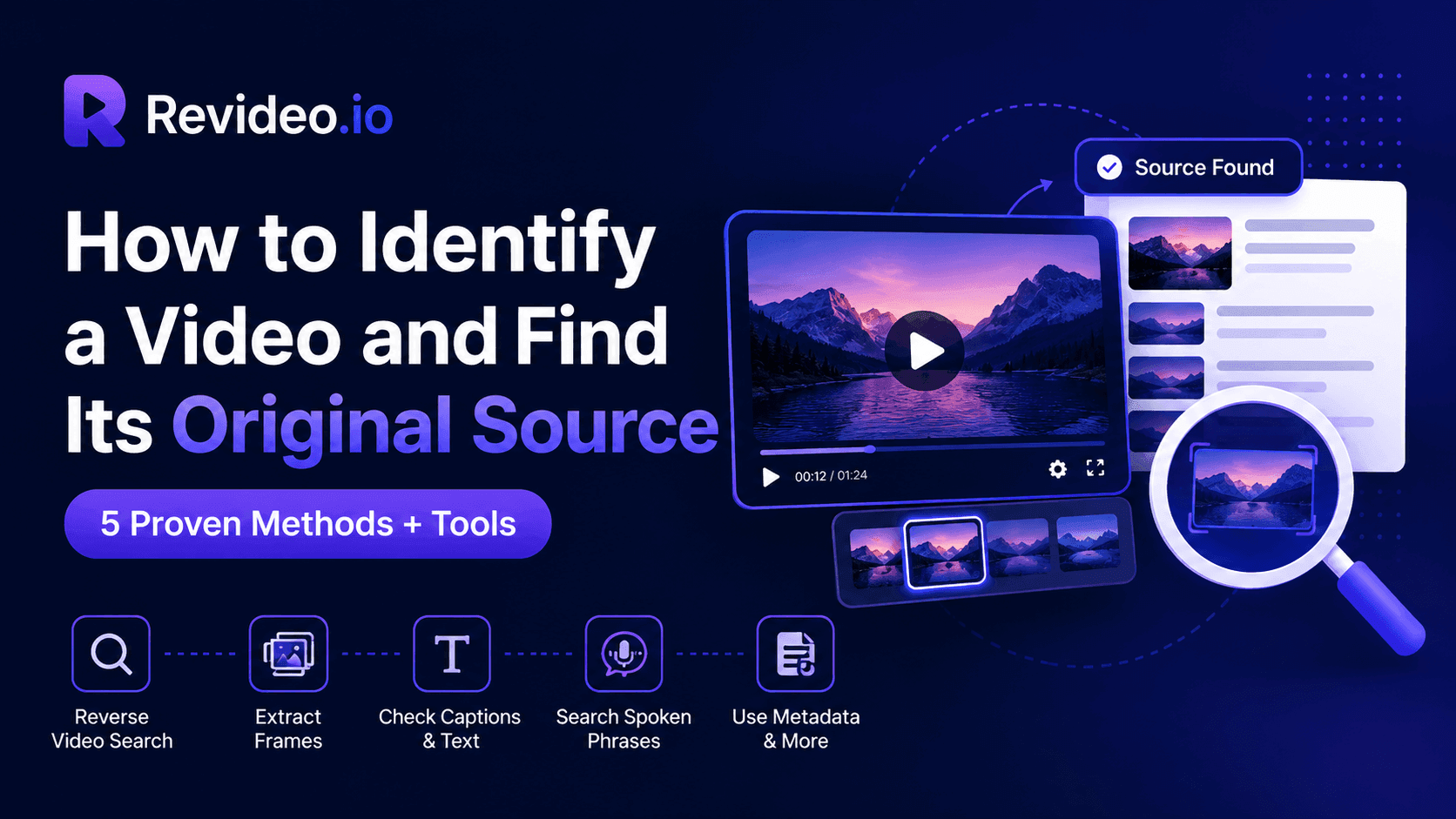
Learn how to identify a video and find its original source using reverse video search, Google Lens, video frame extraction, metadata, and other practical methods. Discover how to trace viral videos, find matching clips across platforms, and verify earlier uploads with tools like Revideo Deep Search.
Identifying a video online can be done with several different methods and approaches, which don’t require too much effort or time. Instead of searching and verifying videos manually, you can use reverse video search, frame extraction, metadata, and reverse image search methods to locate the original source.
In this article, we will be covering these methods that can be utilized to recognize a video across the internet.
What Does It Mean to Identify a Video
The question “What video is this?” often comes up when you find a clip online but are unable to trace and locate its source. You might need to see the original upload or the owner of the video.
In that case, using a video verification technique can be very useful. It examines the provided video and searches for similar clips across the internet. You can also use available details from the video to narrow down the search, like its caption, subtitle, sound, and hashtags. These methods can help you trace a clip back to its earliest known upload.
How to Identify a Video Online
Let’s talk about the ways you can utilize to identify a video online and find
Method 1: Check the Video for Visible Clues
Sometimes, a person mentions the real owner's profile in the caption or comment section as a source. Also, sometimes the video contains the watermark of the original owner. Watermarks or usernames in the video are the visible clues that help you identify the real owner of the video. So, before trying to use any other approach, you must check these clues and verify them.

Steps to Follow
- Watch the video carefully and check its watermarks, usernames, logos, or any other identifying details.
- You can also read the caption or comments on the video to see if the uploader has tagged the original post or owner.
What You Should Look for
- Username embedded in the frame
- Logo of the original creator
- Comment that tags another person
Method 2: Extract Useful Frames
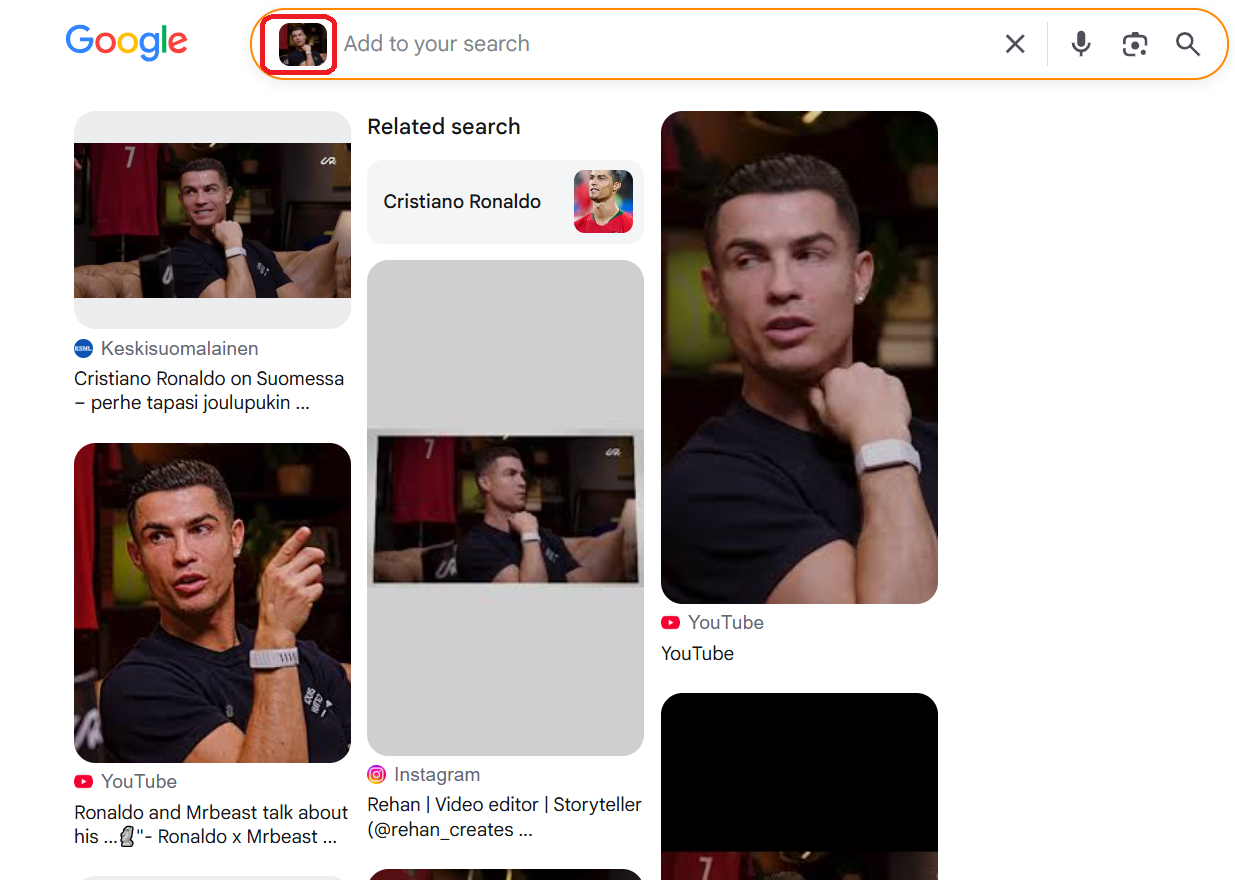
You can use an online video frame extractor to extract certain frames from a video. Once those keyframes are extracted, you can use them to perform a reverse image search and find duplicate matches on the internet. This is a traditional method, but it still works in 2026.
Steps to Follow
- Upload the video to a free frame extraction tool.
- Export all extracted frames and save them to your storage.
- Now, open a reverse image search like Google Lens and see similar versions online.
- Open relevant results and compare them with your video.
What You Should Look for
In extracted frames, you should make sure they have a clear background, scene, signs, people, or a landmark. This will help the reverse search tool to locate similar matches across the web.
Method 3: Reverse Search the Video
One of the easiest approaches that you can use to check a video and find its real owner is by reverse video search. In this method, you use the video clip to see if there are any different versions present on the internet. This technique works by extracting multiple frames and finding duplicate matches against them.
Steps to Follow
- Head to an online reverse video search tool like Revideo and upload your video.
- The tool will start the search and find matching results.
- Open the provided results and match your video with the clips to verify them.
What to Look for
You have to look for videos containing exact or almost similar scenes, even if they are taken from a different angle. Even if the republished video has text in it or is cropped, it is still yours, and someone else is using it to get views.
Method 4: Search Text From the Video
You can also use the text caption to identify a video online and discover its original source. Simply copy the video’s caption and search it on the platform or search engine. If multiple results appear, compare them to see whether they show the same footage, different edits, or unrelated videos using similar text. Check for the oldest upload, and that will be the original clip by the owner.

Steps
- Write down a distinctive sentence from the caption or in the video word-by-word.
- Copy that exact phrase and search it on the social platform.
- You will get different videos with almost similar captions or text.
- Find which ones match the original video and compare them.
What to Look For
Only copy the text from the caption, and you can use it to locate duplicate uploads. And make sure the results also contain the same text or similar scenes from the original clip.
Method 5: Search Distinctive Spoken Phrases
This approach works when you search for the spoken phrase. Some search engines and social platforms can match distinctive phrases with indexed captions or transcripts, helping you find related videos.
Steps
- Listen to each word the person is speaking.
- Write them down exactly or use an online transcript generator to extract the speech.
- Search each phrase on social media, and you might see similar videos and clips with the exact sound and dialogue.
What to Look For
Ensure the resulting clips contain the exact same audio, or the video that is being used has similar scenes, people, or background.
How to Find a Video’s Original Source
Finding a video online does not always mean you have found its source. The clip may have been reposted by other accounts or shared without credit.
- Start by checking the watermark, username, and caption for clues about the creator.
- Then compare matching videos across platforms and check their upload dates.
- The earliest version you find may help trace the source, but it does not always prove who created the video.
- Keep a record of the original links and any evidence you find.
If the source cannot be confirmed, describe it as the earliest known upload rather than the original.
How to Identify an Unknown Viral Video
A common problem with viral videos is that they often appear on different social platforms, posted by different users. In that case, if you want to identify an unknown viral video, here’s what to do:
- Extract keyframes: Choose clear screenshots from the video that show useful details.
- Search for matches: Use the reverse video search tool to find similar clips.
- Check the source: Compare usernames, captions, and upload dates to trace earlier versions.
- Verify the location and date: Look for visible landmarks or signs and compare them with maps or other reliable sources.
- Check the context: Find out whether the footage has been edited or reused to support a different claim.
Can You Identify a Video Without the Original File?
Yes, it is possible to identify a video without even the original file or clip. All you need is a screenshot from the video, thumbnail, spoken words, or URL – that’s all. With a screenshot or thumbnail, you can easily reverse image search and find duplicate matches in seconds.
Besides, if you have the URL of a video, then it would be very easy to identify the valid source. Simply navigate to Revideo.io and paste the URL in the given field. It will find all the similar matches and give you the report.
Lastly, you can type those spoken words from the video in the search bar on any platform and see if there are any other videos or clips that appear. All these are video reverse search approaches that can help you identify a video without the original file.
Tools You Can Use to Identify a Video and Find Original Source
To find a video on the internet, there are several tools that can do it in seconds. Let’s explore them in detail.
Revideo
Revideo lets you check a video and find its real source for free. It verifies the video across multiple search engines and social platforms simultaneously to locate similar matches in mere seconds.
It’s an advanced AI-powered reverse video search tool that can process the entire video, extract its keyframes, analyze audio fingerprints, scan on-screen text, and then find similar clips with exact details.
Google Lens
Google Lens is a free tool provided by Google to perform reverse image search on any image. However, to use it, you first have to extract frames from a video and then upload them into Google Lens to discover similar results.
This process takes time, but it can deliver accurate results, fetched directly from the indexed data.
Bing Visual Search
Bing Visual Search provides its own image search tool where you just upload the picture or screenshot, and it finds you all the matching sources. This free tool can scan the visual patterns in the image and check them across the indexed data to locate similar results. But remember: you can’t upload a video directly into Bing Visual Search. You have to extract frames and then use them to identify a video online.
MediaInfo
Video metadata can provide useful details about a file, such as its creation date, format, publication date, file type, camera settings, and device information. MediaInfo is a top choice that can help you to examine these properties and determine the information that's available.
But not everything about the video is always found in metadata. Social media sites will strip out some information when uploading a video, and also file information may be altered.
Best Tools to Identify a Video Online: Quick Comparison
|
Tool |
Best for |
How it works |
|
Revideo |
Finding matching videos online |
Searches using a video or supported URL |
|
Google Lens |
Finding visually similar footage |
Searches using screenshots or extracted frames |
|
Bing Visual Search |
Discovering matching images and webpages |
Uploads a screenshot or image for visual search |
|
TinEye |
Tracking matching or modified images |
Finds copies of an image across indexed webpages |
|
MediaInfo |
Examining video file details |
Displays available technical metadata |
Use Revideo to Find Matching Videos Online
Manually checking screenshots, captions, and individual platforms can take time, especially when a video has been reposted or edited.
Revideo helps simplify this process by searching for matching footage across supported search engines, social media platforms, and video-sharing websites. With Deep Search, you can examine visual matches alongside available audio, subtitles, on-screen text, and other matching information.
To get started, upload a video or enter a supported video URL, run a search, and review the results. Compare the matching footage, source links, upload dates, and creator profiles to investigate where the video may have appeared first.
Remember that a matching result is a clue, not proof of original ownership. Always review the available evidence before concluding.
Wrapping Up
In short, it takes a couple of easy checks to identify a given video and to determine where it came from. Reverse video search, screenshots, and metadata can be used to locate matching clips and to trace back from the clip to the source. With tools such as Revideo, you can make this process easier by searching for similar videos online. But look at the evidence that is available before deciding which video was posted first, as the first hitting result may not be the original video.
Frequently Asked Questions
-
How to Identify a Video from a Screenshot
You can use the reverse image search method to identify a video from a screenshot. Upload that screenshot into Google Lens or any other image search tool, and it will locate the original source.
-
How to Find Out Who Posted a Video First
To check the real owner of the video and when they posted it online, you can use the reverse search method. It will locate any duplicate videos, which you can verify and compare to see the oldest upload and the user profile on the internet.
-
Can I reverse search a video?
Absolutely. You can reverse search a video and find its real source on the internet. The easiest method is to use Revideo, where you can perform 1 search per day, and it searches across multiple platforms and search engines to discover duplicate matches.